Parametric FEM Planet Carriers
This tutorial demonstrates the process for modeling, meshing, and calculating parametrically generated FEM planet carriers.
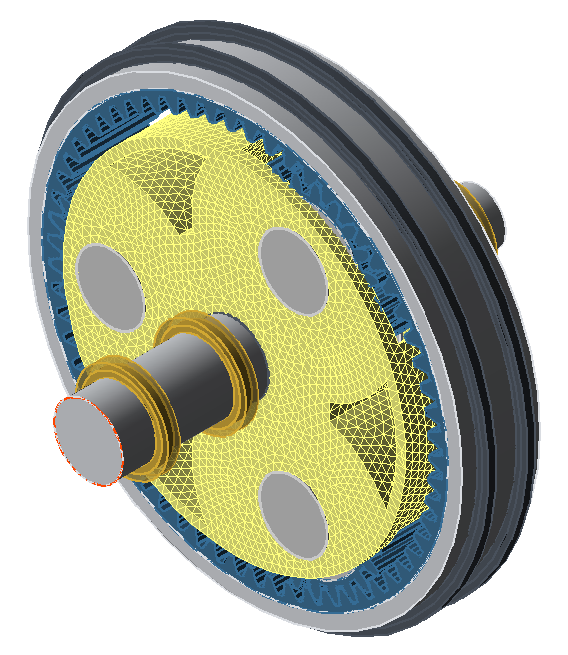
Model the planetary stage
Create a new model
 (Project → New)
Add a planetary stage
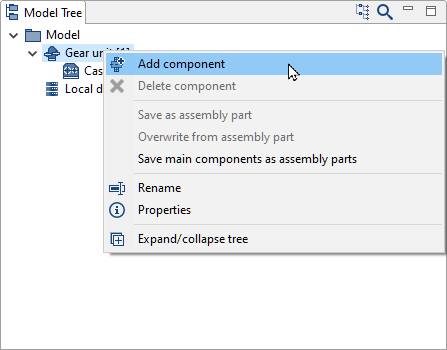
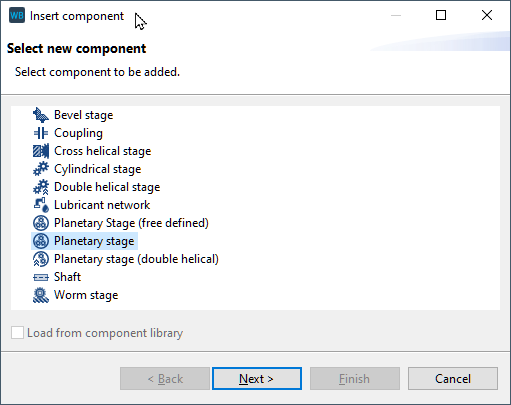
Right-click on the gear unit in the Model Tree and add a new planetary stage component.
Specify the gear data
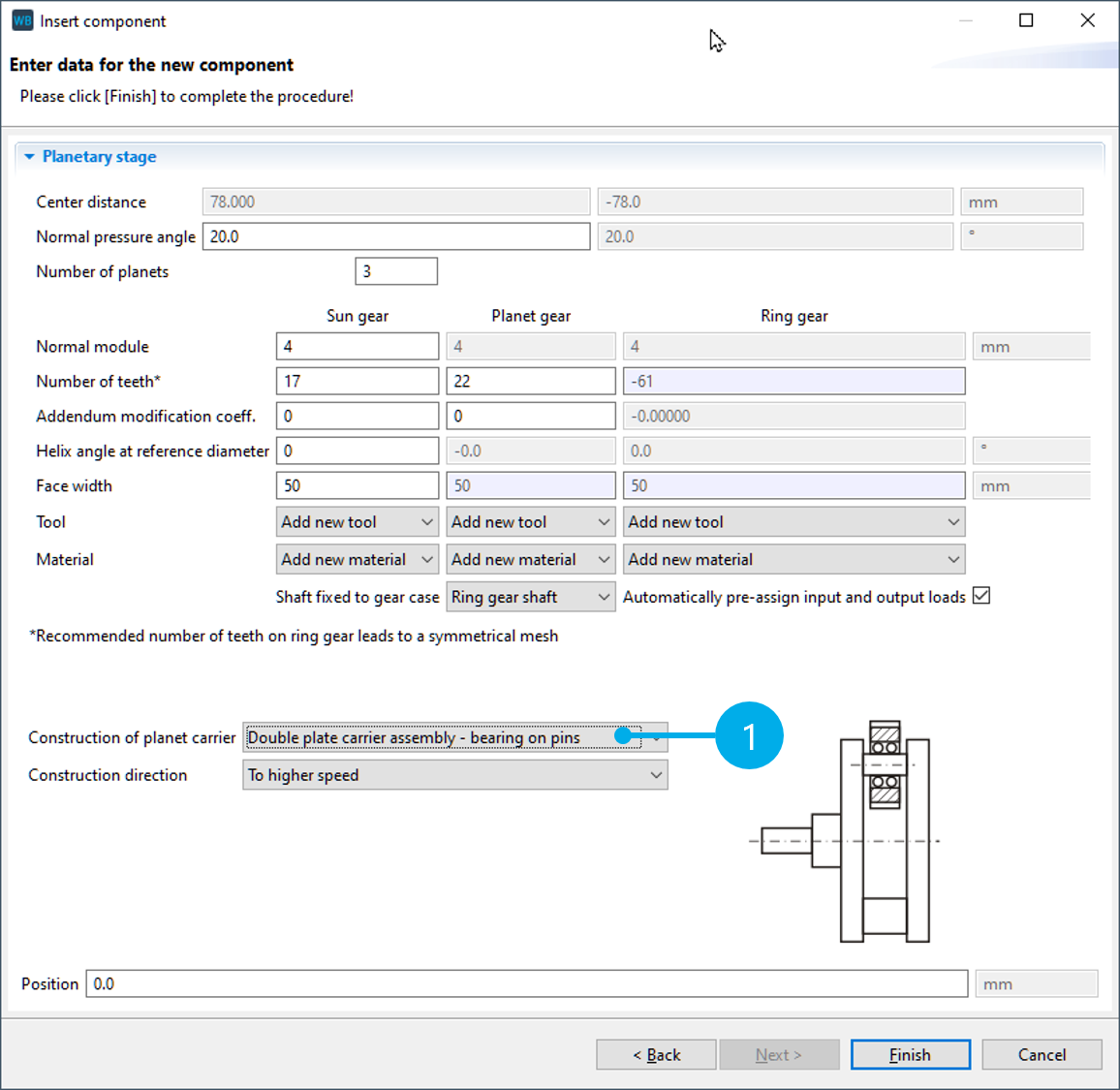
For "Construction of planet carrier," select option (1): "Double plate carrier assembly - bearing on pins." The other gear data does not need to be adjusted.
Specify the parameters for the struts
Add and configure the strut geometry
Select the new double plate carrier assembly component in the Model Tree and switch to the "Planet carrier stiffness/FEM" tab in the Editor.
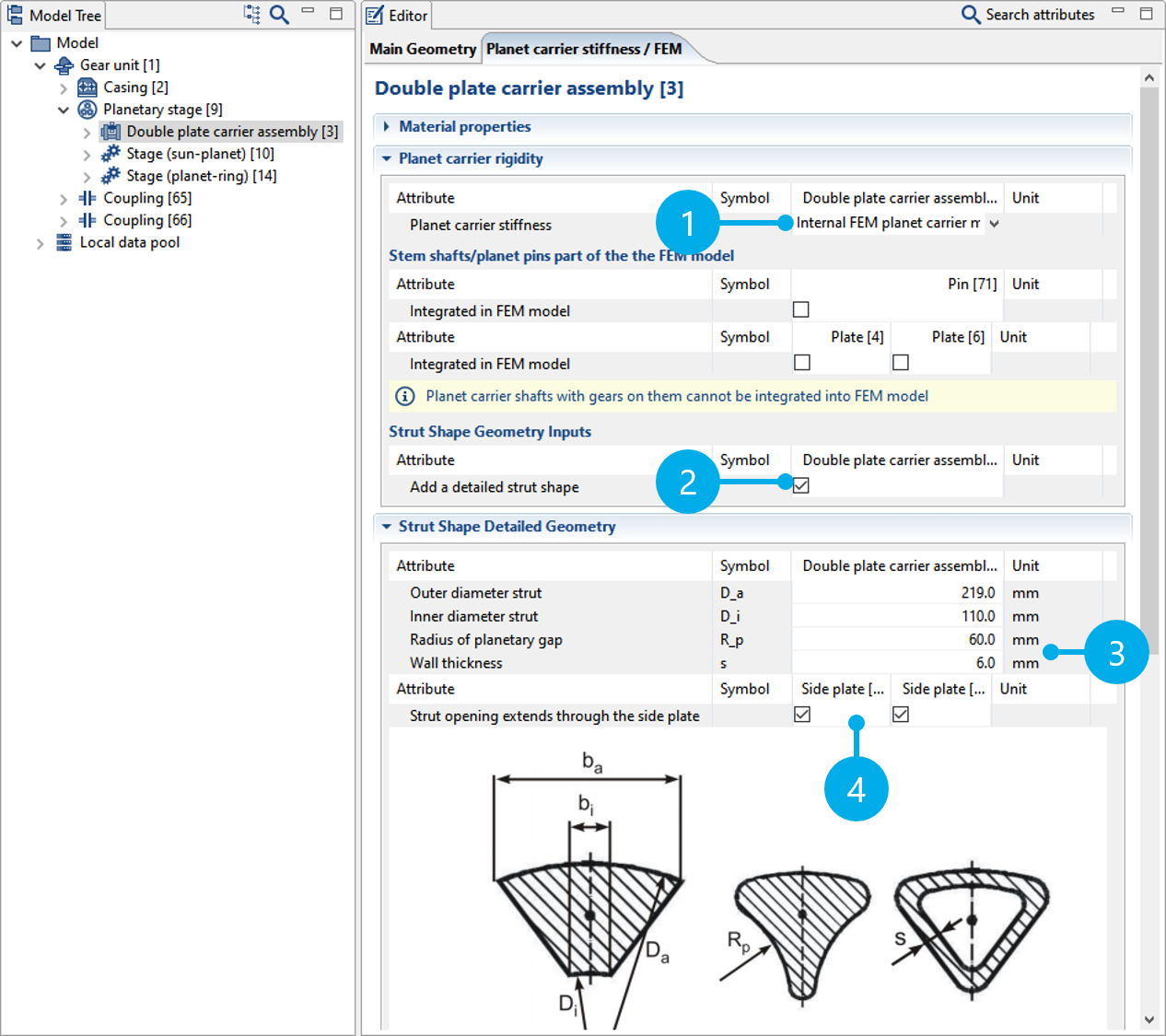
Change the planet carrier stiffness to "Internal FEM planet carrier modeling" (1).
Activate specification of the strut geometry (2). Adjust the "Radius of planetary gap" and "Wall thickness" attributes as shown in the image below (3). Activate the options for "strut opening extends through the side plate" (4).
Meshing and calculation
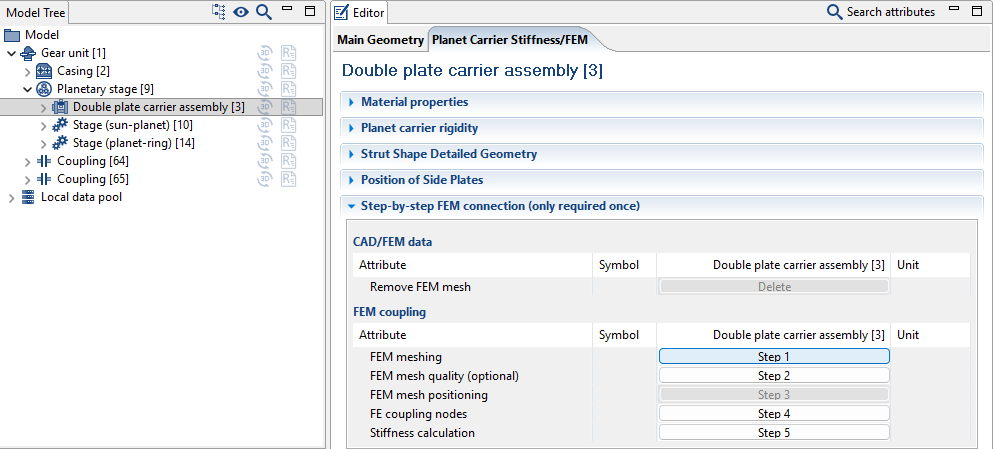
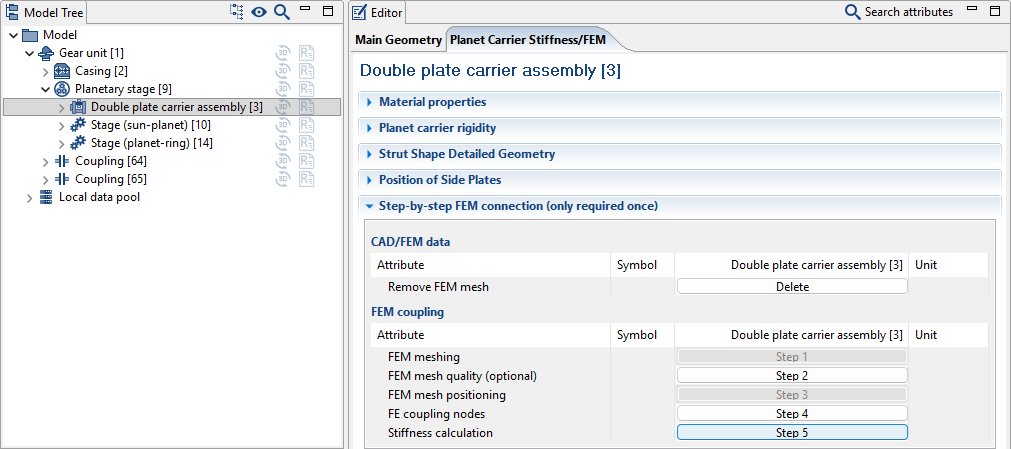
Step 1 FEM meshing
Click "Step 1" to start the mesher.
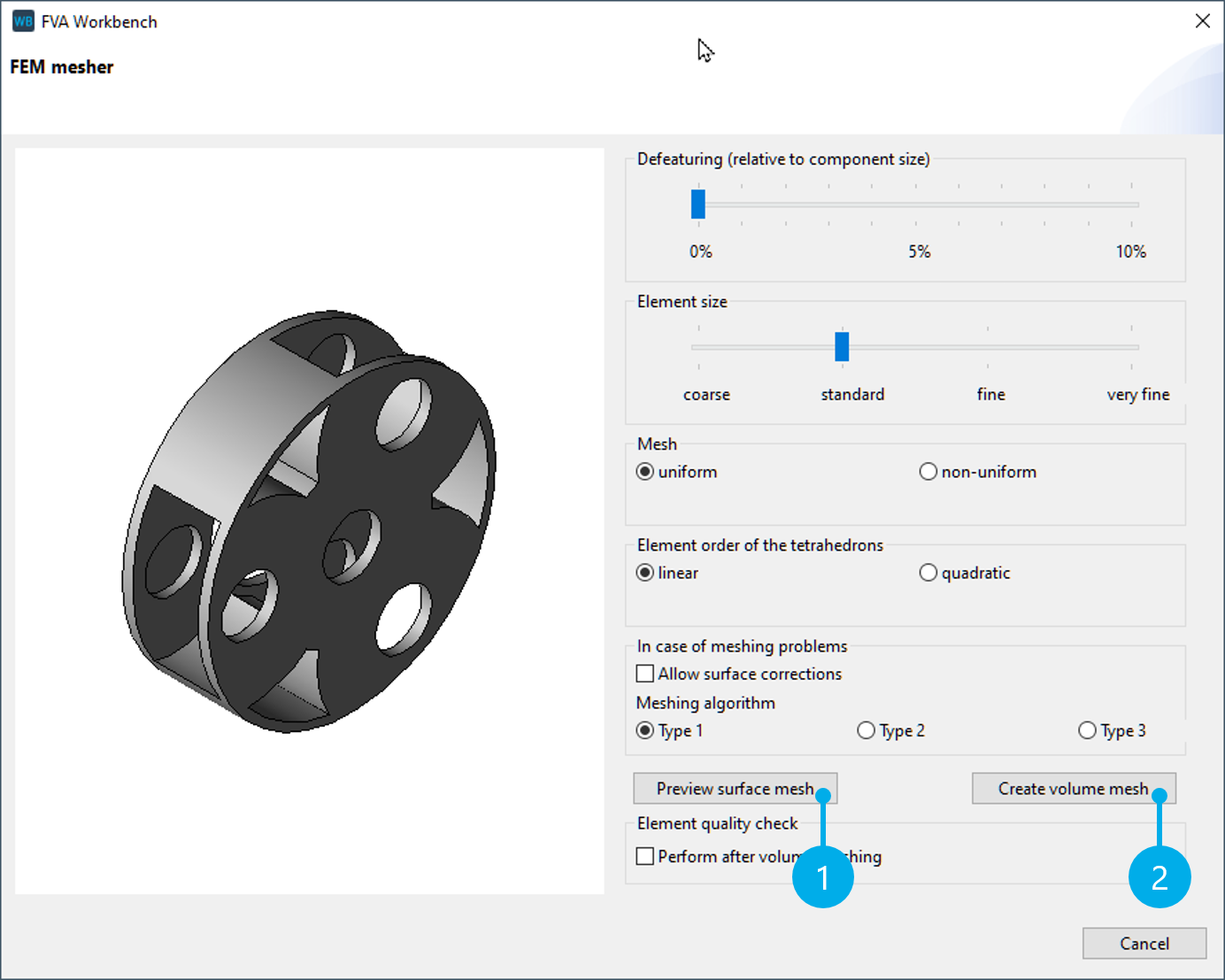
Meshing parameters
For this tutorial, you may choose any meshing parameters you like. Click "preview surface mesh" (1) for a visual preview. If the surface mesh meets your requirements, click "create volume mesh" to complete the meshing.
Step 4 FE coupling nodes
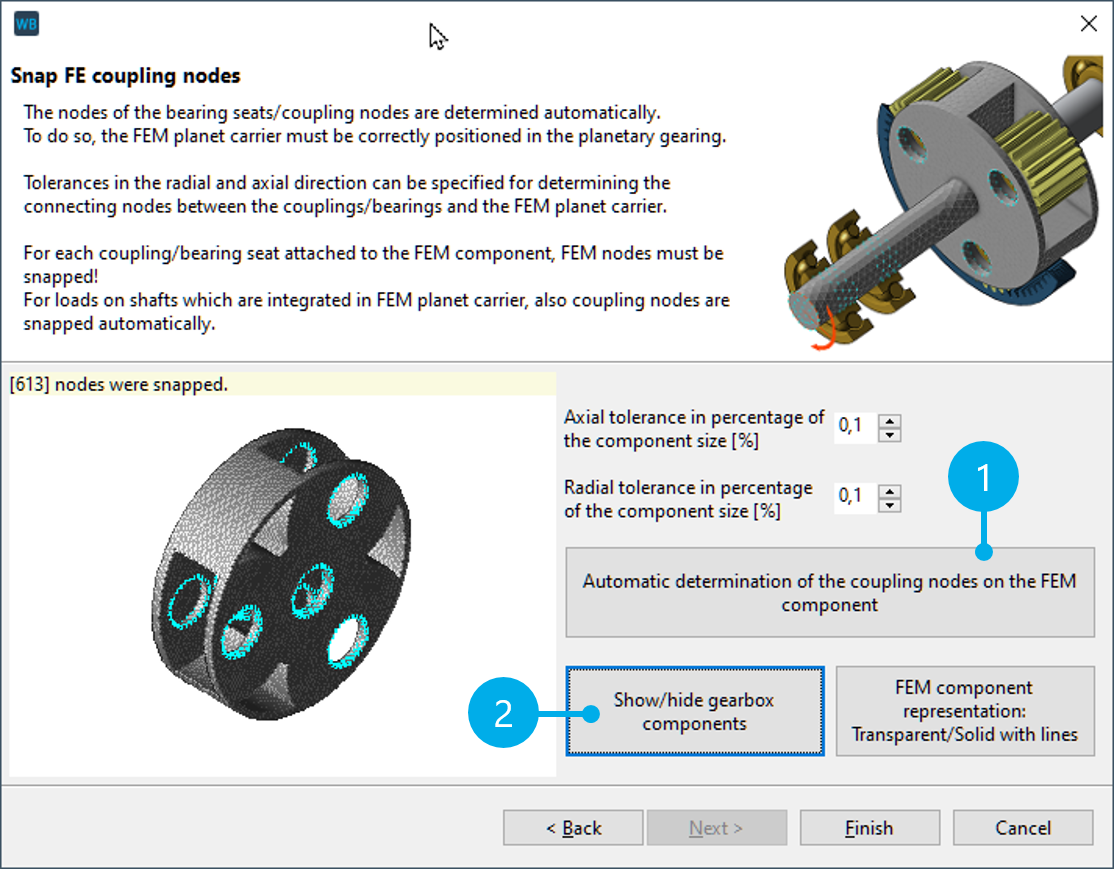
Click "Step 4" to snap the FE coupling nodes.
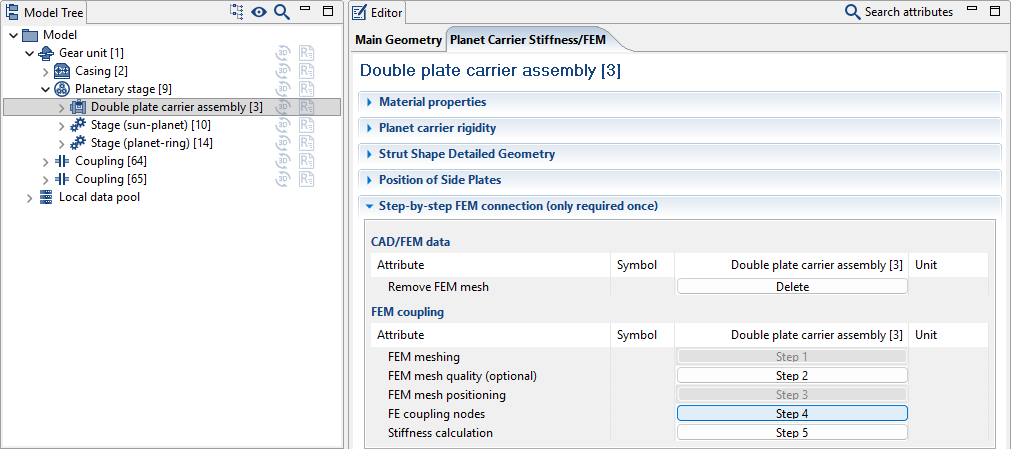
Click (1) to automatically snap the coupling nodes between the FE planet carrier and the analytical gear. Click (2) to hide the gear unit and check the snapped bearing nodes.
Step 5 Stiffness calculation
Click "Step 5" to start the stiffness calculation.
Notice
Once calculated, the stiffness matrix is saved in the gear model (.wbpz). It does not need to be calculated every time the model is loaded.
Consider the stiffness in the overall system
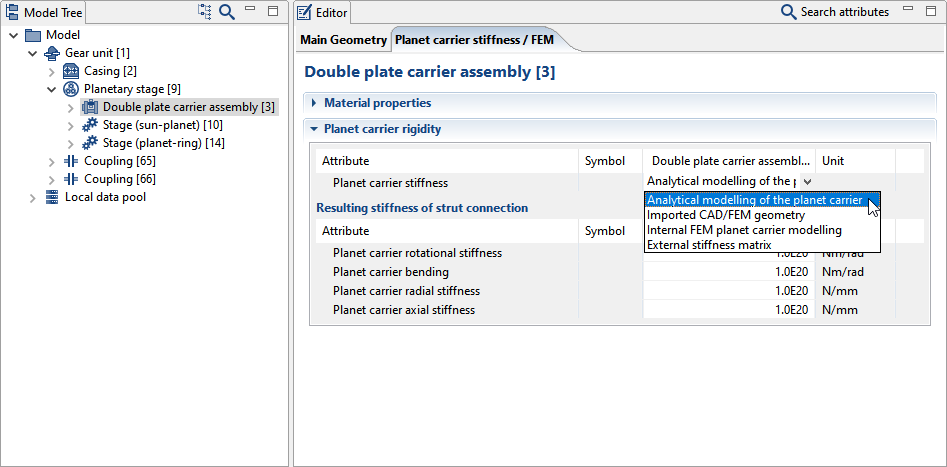
For comparison purposes, different selections are available in the planet carrier stiffness drop-down menu; for example, between the stiffness matrix, as described above, and analytical modeling.
Notice
If the stiffness is not considered, the planet carrier is hidden in the 3D Model and a warning message is displayed.