Plastic Gears According to VDI 2736
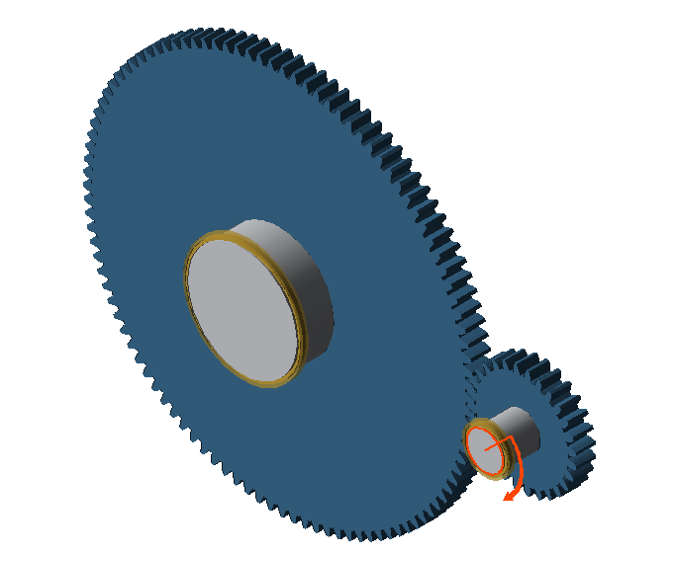 |
The following file is required to follow along with this tutorial in the FVA-Workbench:
Configure the gearbox model
Load the model in the FVA-Workbench.
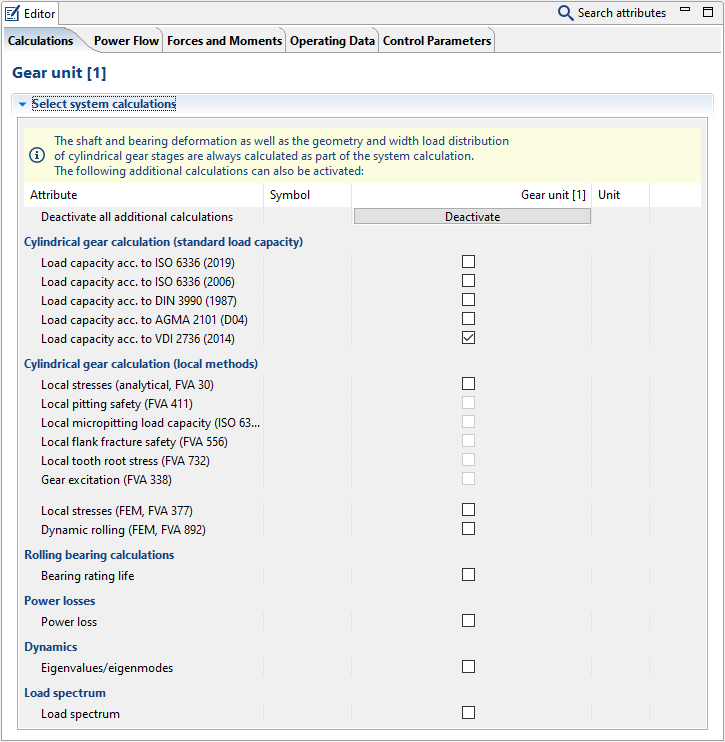
Select the gear unit in the Model Tree and switch to the Calculations tab in the Editor. Tick the box for "Load capacity acc. to VDI 2736."
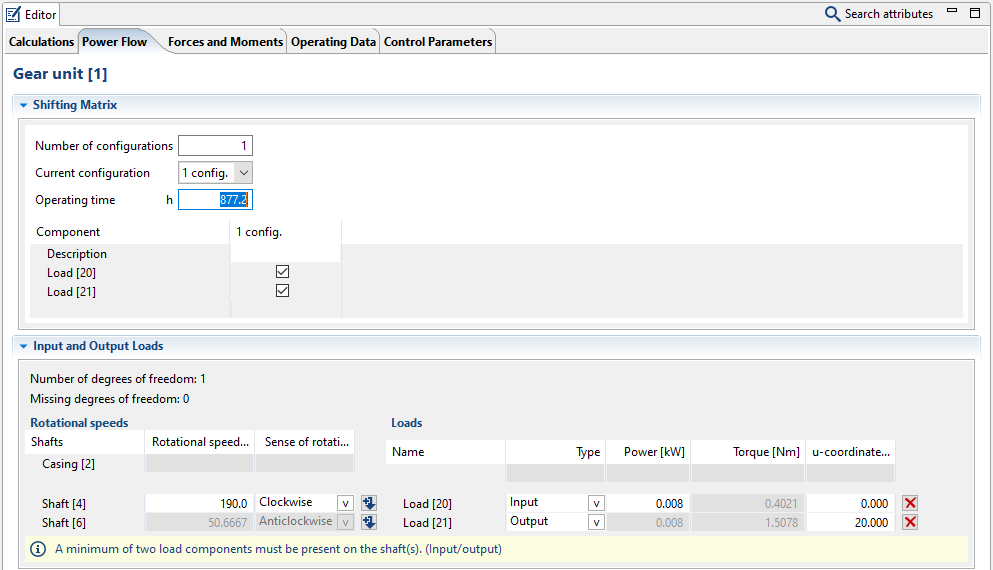
Now, switch to the Power Flow tab and adjust the number of operating hours as shown.
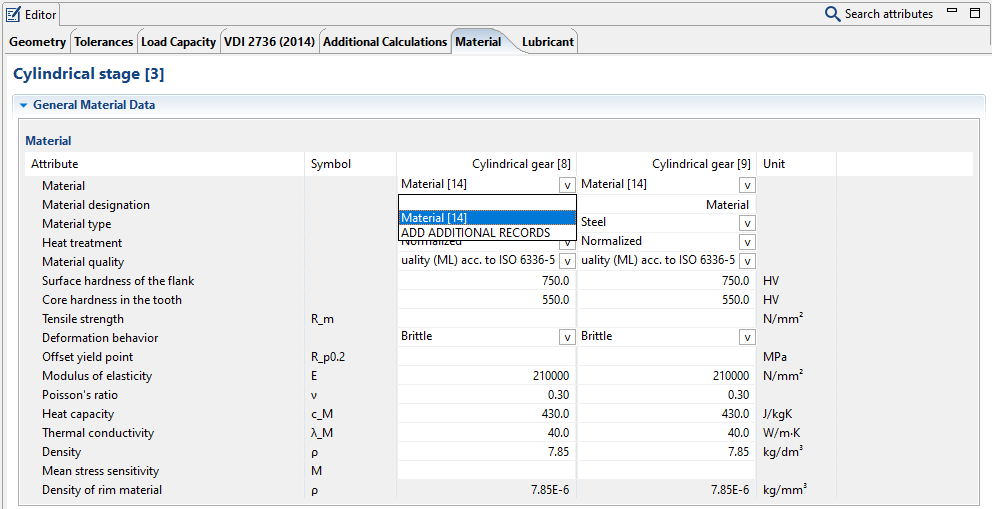
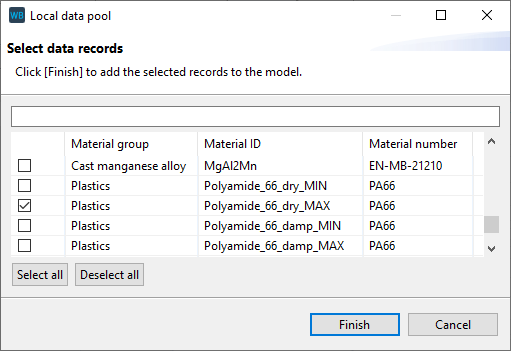
Now, select "Cylindrical stage [3]" in the Model Tree and switch to the Material tab in the Editor. Select the material Polyamide_66_dry_MAX from the Materials Database.
Notice
Materials with the designation _max include the maximum values specified in the VDI 2736 value ranges.
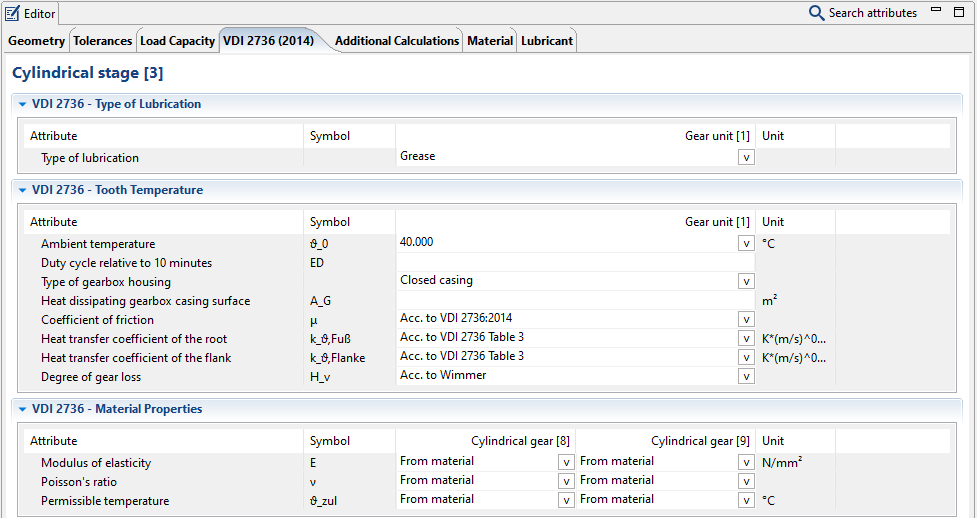
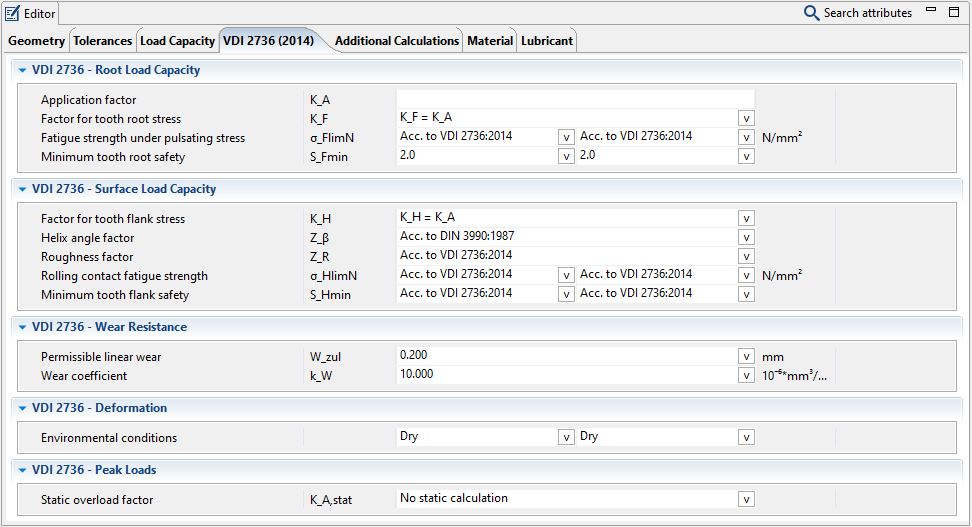
Now, switch to the VDI 2736 (2014) tab and adjust the calculation factors according to the following images:
Run the calculation
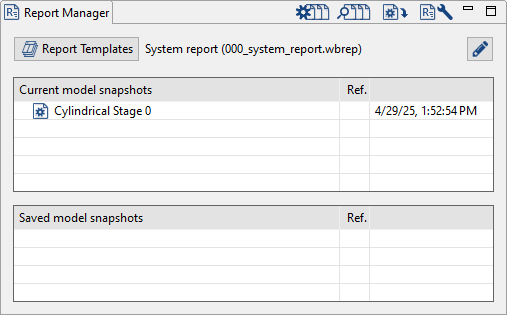
Start the system calculation.
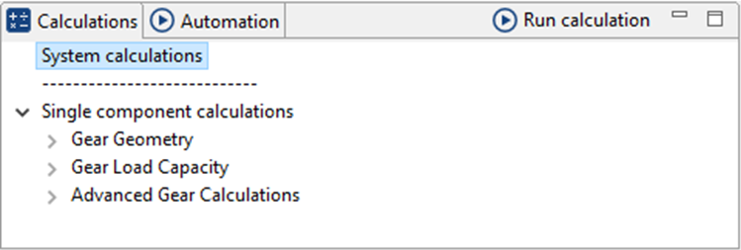
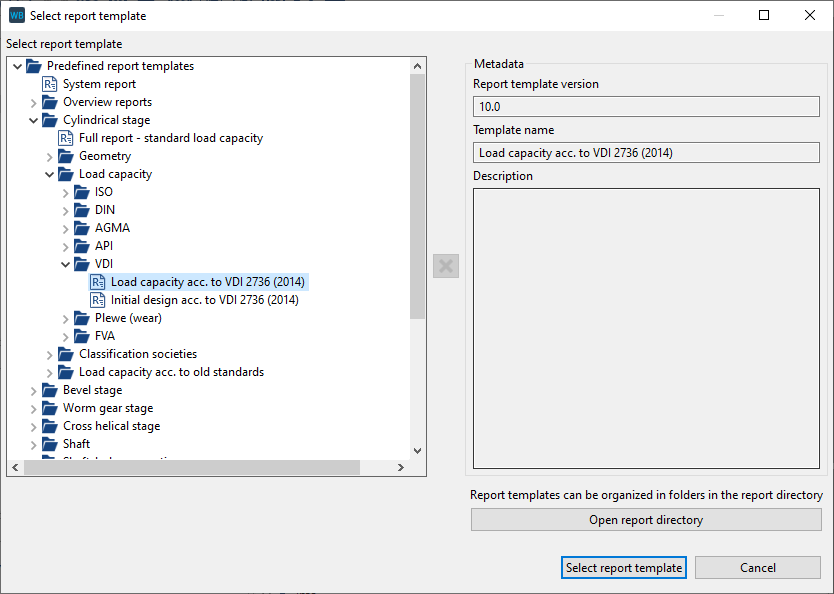
Select the "Load capacity according to VDI 2736" report template. Double-click the model snapshot to open the output report.
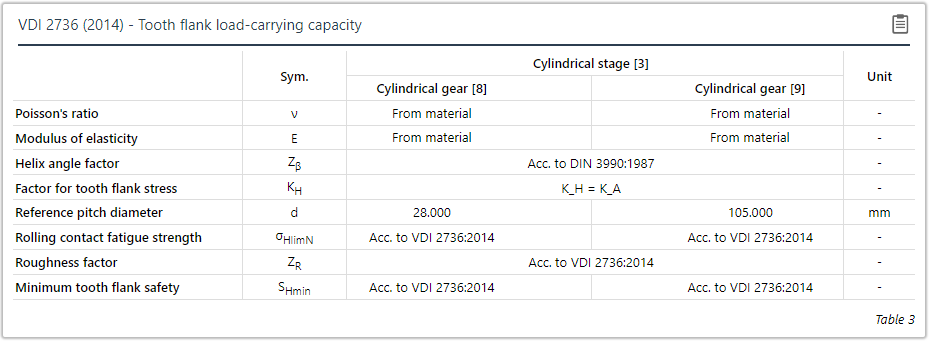
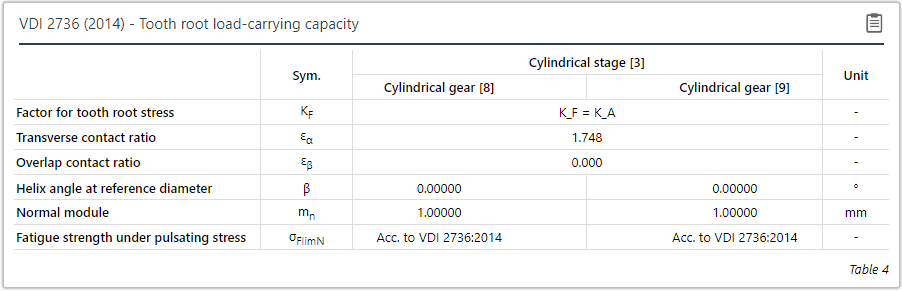
Flank and root load capacity output tables from VDI 2736 calculation.